
Download LcDomino – dominoes game, multiplayer dominoes, single player dominoes, customizable dominoes, strategy game
Overview
LcDomino is a digital adaptation of the classic dominoes game, designed to support both solo play and multiplayer sessions with up to four participants. The app aims to deliver an accessible and customizable gaming experience, catering to users of varying skill levels—from beginners learning the rules to experienced players seeking strategic depth. By allowing adjustments to game parameters such as scoring limits, play direction, and individual difficulty levels, LcDomino ensures flexibility in gameplay, making it suitable for casual entertainment or competitive matches among friends and family.
The application was developed by Thomas P. Larson, who focused on creating a lightweight and intuitive tool that maintains the core mechanics of traditional dominoes while enhancing usability through digital features. Although the developer did not provide additional technical details about their background or prior projects, the app’s design reflects a clear commitment to simplicity and functionality. LcDomino serves as a practical utility for users who enjoy puzzle-based strategy games and value customizable experiences. It holds relevance in the mobile and desktop gaming ecosystem as a low-barrier entry point for fans of tile-based games, especially those seeking a no-cost solution with enduring appeal.
Key Features & Functionality
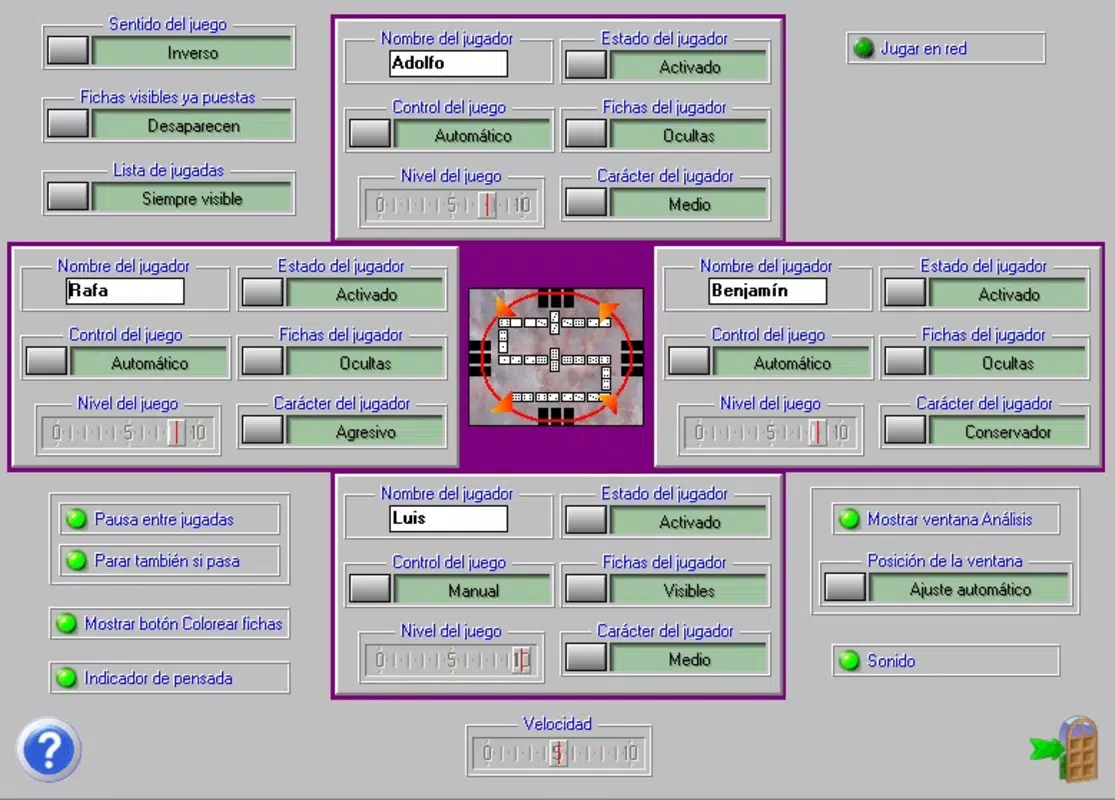
- Customizable Game Settings: Players can adjust game parameters such as scoring thresholds, play direction (clockwise or counter-clockwise), and individual skill levels. This enables tailored matches that suit different preferences, whether for quick rounds or extended gameplay sessions.
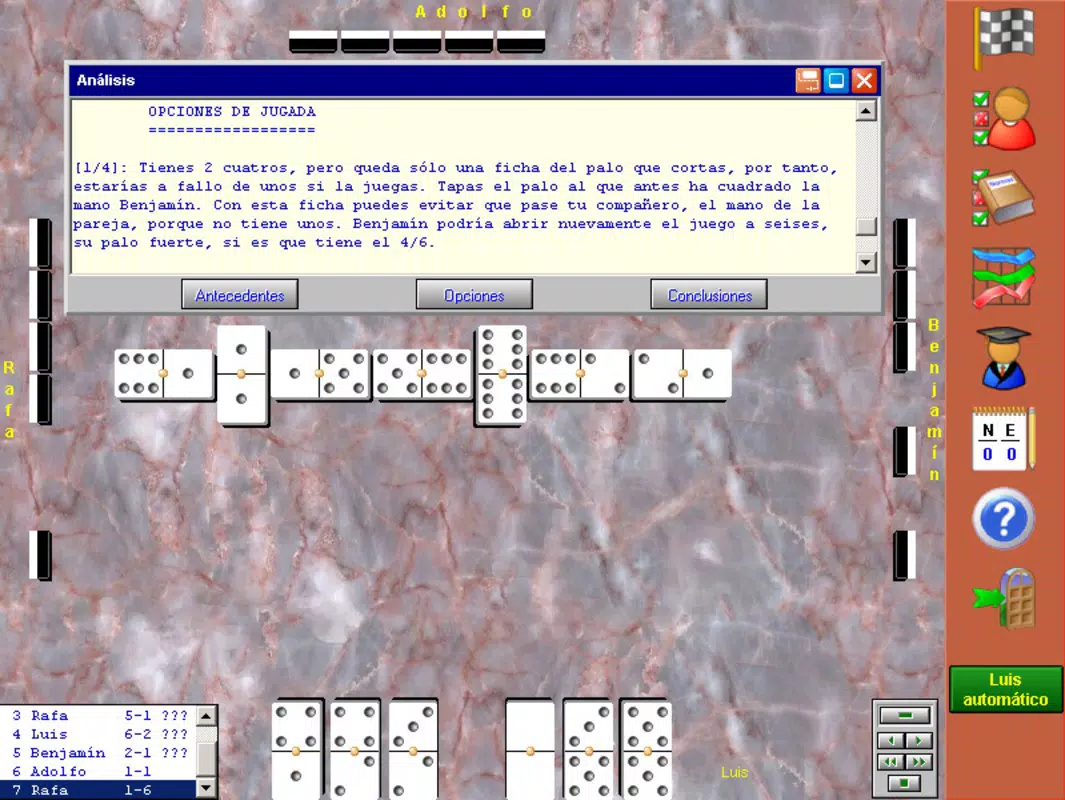
- In-Game Assistance: A built-in help system guides new users through the rules, move mechanics, and game objectives. This feature reduces the learning curve and ensures that players unfamiliar with dominoes can quickly understand how to participate effectively.
- Undo and Replay Options: Users can retract their last move or replay previous actions, allowing for strategic experimentation and learning from mistakes without penalty. This functionality supports skill development and enhances engagement during gameplay.
- Game Data Tracking: The app stores records of past matches, enabling players to review their performance, analyze patterns in their decision-making, and track progress over time. This feature is particularly useful for users aiming to refine their strategies.
- Lightweight System Requirements: Designed to run efficiently on older systems, LcDomino requires only a 486 processor, Windows 95/98/Me/XP, and 16MB of RAM. This ensures broad compatibility across legacy hardware, extending accessibility to users with limited computing resources.
These features collectively create a balanced environment where both casual and dedicated players can enjoy a meaningful experience. For example, a beginner might use the in-game help and undo function to learn proper tile placement, while a seasoned player could customize the scoring limit and play direction to increase challenge. The game data tracking feature allows long-term users to assess their growth and refine tactics, turning each session into a learning opportunity.
Interface, UX & Performance
The user interface of LcDomino reflects a minimalist design philosophy, prioritizing clarity and ease of interaction. The layout centers around a clear display of the domino tiles, the game board, and essential controls, minimizing visual clutter. Navigation is straightforward, with intuitive touch or mouse-based actions for selecting and placing tiles. The visual style is functional rather than ornate, using simple graphics and consistent color coding to differentiate tile ends and player turns.
Although the developer did not list formal performance metrics, the app’s lightweight nature suggests stable operation across a range of system configurations. Users on older Windows machines should experience smooth gameplay without lag or crashes, given the minimal resource demands. Responsiveness is likely to be high, especially during turn transitions and tile manipulations. Stability appears to be a strength, considering the app’s long-standing presence since its 2012 release. While no specific information was provided about device compatibility or optimization for high-resolution screens, the interface’s simplicity supports adaptability across various display sizes.
Platform Compatibility & Technical Requirements
LcDomino is designed for the Windows operating system, with compatibility confirmed for Windows 95, 98, Me, and XP. The app requires a 486 processor and a minimum of 16MB of RAM, reflecting its development during the early 2000s. The file size is listed at 1.0 MB, indicating a compact and efficient distribution package. This small footprint ensures rapid download and installation, even on slow internet connections.
The developer did not specify minimum OS requirements beyond the listed versions. As such, compatibility with modern Windows systems (such as Windows 10 or 11) is uncertain and not officially confirmed. Users seeking to run the app on newer platforms may encounter issues due to outdated system dependencies or lack of support for current security protocols. However, the app remains accessible through compatibility modes or virtual machines if needed.
Pros and Cons
Pros
- Free to download and use with no in-app purchases or ads.
- Highly customizable settings for personalized gameplay.
- Includes beginner-friendly assistance and undo functionality.
- Lightweight design enables operation on older hardware.
- Game data tracking supports skill development and strategy analysis.
Cons
- Not compatible with modern Windows versions without potential workarounds.
- Interface lacks modern visual polish or animations.
- No multiplayer support beyond local four-player sessions.
- Developer has not released updates since 2012.
- Limited to Windows platform; no mobile or cross-platform availability.
FAQ
Is LcDomino safe to download and install?
Yes, the app is free and does not include malware or intrusive ads. It was developed by Thomas P. Larson and distributed through trusted channels. However, users should ensure they download from verified sources to avoid tampered versions.
Can I play LcDomino on Android or iOS?
Currently, LcDomino is only available for Windows. There is no official version for Android or iOS devices. Users on mobile platforms may need to use emulators or alternative apps.
Does LcDomino require an internet connection?
No, the app functions entirely offline. All gameplay, settings, and data tracking occur locally on the device, making it ideal for users without consistent internet access.
How do I update LcDomino?
As of the latest release in 2012, no updates have been issued. The developer has not released a newer version, so users are advised to use the existing stable build unless modifications are made through unofficial means.
Is LcDomino suitable for children?
Yes, the game’s simple rules, in-game help, and customizable difficulty make it accessible to younger players. Parents may find it useful as an educational tool for developing strategic thinking and pattern recognition.
Final Thoughts
LcDomino stands as a testament to efficient, user-focused game design from the early 2010s. Despite its age and limited platform reach, it continues to offer value through its customizable rules, educational features, and low system demands. The app is particularly beneficial for users with older computers or those seeking a no-cost, offline strategy game. While it lacks modern polish and ongoing support, its core mechanics remain sound and engaging.
For fans of dominoes, puzzle games, or retro-style utilities, LcDomino provides a reliable and accessible option. Its combination of strategy, customization, and learning tools makes it a worthwhile download for anyone interested in a classic game with a digital twist. Download LcDomino now.


